Christmas Scavenger Hunt for Older Kids & Teens
$3.50Regular price $6.9950% off
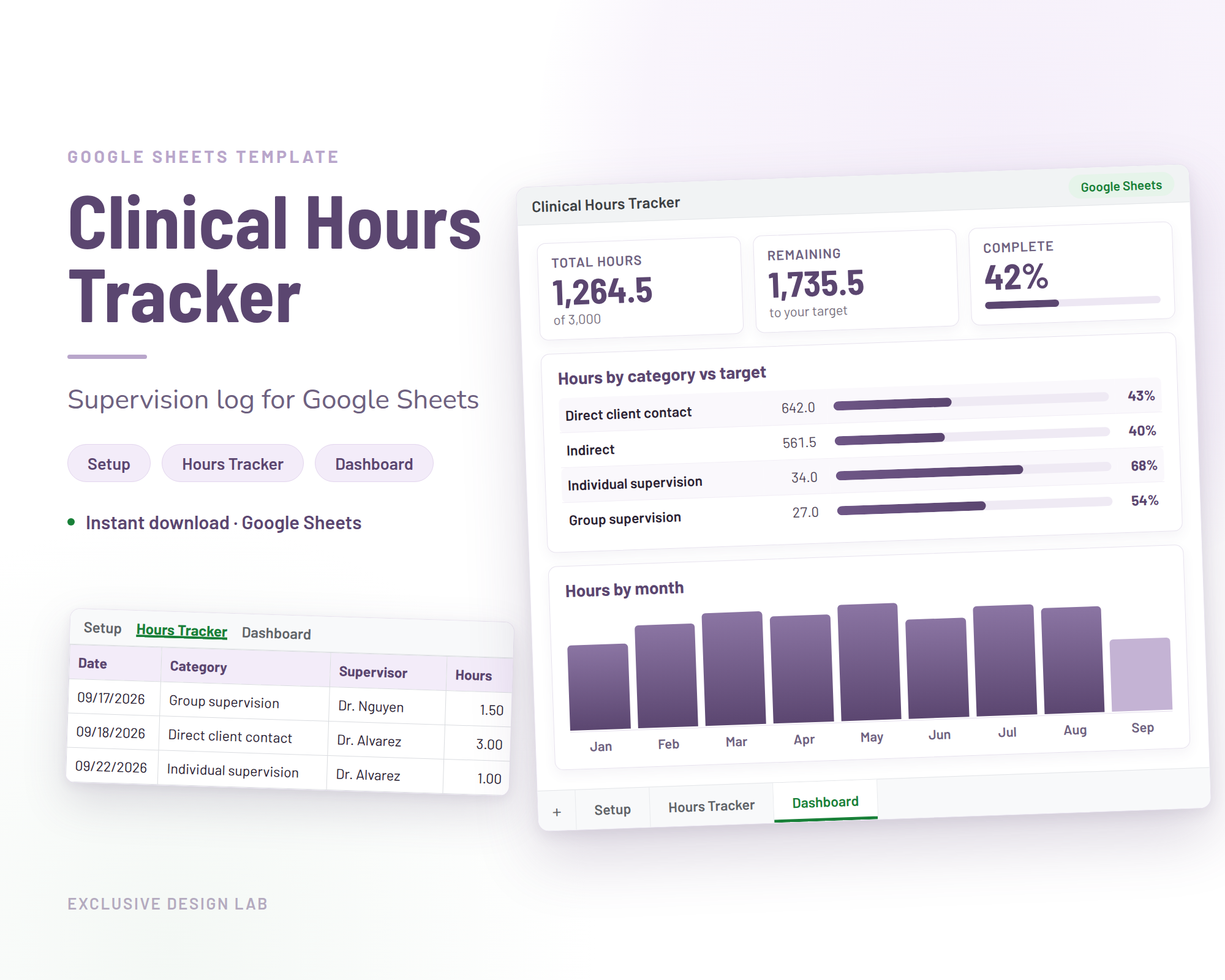
Track and organize your clinical hours with the Clinical Hours Tracker Spreadsheet, made for social workers, counselling students and nursing programs. This Google Sheet supervision log records therapy sessions, residency hours and licensure requirements with clarity and accuracy.
4.8 shop rating from 12.3k reviews and 209k sales on Etsy
Our six most popular designs, each an instant digital download for $3.50 (50% off the regular $6.99).
$3.50Regular price $6.9950% off
$3.50Regular price $6.9950% off
$3.50Regular price $6.9950% off
$3.50Regular price $6.9950% off
$3.50Regular price $6.9950% off
$3.50Regular price $6.9950% off
A budget spreadsheet, a project management spreadsheet, a weekly planner and a OneNote digital planner, each $3.50. See how every tool works, with worked examples and free calculators, on the template pages.
$3.50Regular price $6.9950% off
$3.50Regular price $6.9950% off
$3.50Regular price $6.9950% off
$3.50Regular price $6.9950% off
Pay by card or wallet through Creem. No account needed.
The download link appears straight away and lands in your inbox too, spreadsheet link included.
Make your copy of the tracker in Google Sheets, or print a printable at home and go.
Free explainers on logging supervised hours for licensure, clue lists, invitation wording, sample schedules, budgeting methods, project plans and planner setups, written by the people who design our products.
Right after checkout you get a download link on screen, and the same link is emailed to you. The Clinical Hours Tracker arrives by email too: a PDF with the link to the spreadsheet. Nothing is shipped.
Yes. Every printable prints on standard printer paper at home. You can also send the files to a local print shop.
Editable invitations and routine cards come with instructions. You type your details into the template, save your finished file, then print it or send it digitally.
A free Google account. The tracker is a Google Sheets template, so you open the link, make your own copy and log your hours there. It is not compatible with Microsoft Excel.
The budget, project and weekly planners come as an Excel file plus a link to make your own copy in Google Sheets. The OneNote planner is a notebook you import into the free OneNote app. Each one comes with a step-by-step PDF guide.
Email support@exclusivedesignlab.com and we will fix it or refund you. See the refund policy for details.